QuoteDone · CIS Tax Guides
An SA302 is HMRC's official tax calculation — and the single document that proves your income to mortgage lenders, banks, and visa officers. Here's exactly what it is, what it looks like, and how to get one.
If you're a CIS subcontractor, a sole trader, or self-employed in any capacity, there's a document you'll eventually need — and you'll probably first hear about it at the worst possible moment. Halfway through a mortgage application. Or when a landlord asks for proof of income. Or when a visa officer wants to see what you actually earn.
That document is the SA302.
It's not complicated. But it is widely misunderstood — and the confusion between it and other HMRC documents causes real delays, rejected applications, and unnecessary stress. This guide explains everything in plain language: what an SA302 is, what it shows, how it differs from other tax documents, how to get one, and why CIS subcontractors need to pay particular attention to what it says.
The SA302 in One Sentence
An SA302 is HMRC's official tax calculation document. It's generated after you submit a Self Assessment tax return and shows a summary of your declared income, your personal allowances, and exactly how much Income Tax and National Insurance you owe — or have already paid — for a specific tax year.
Think of it this way: your tax return (the SA100) is what you send to HMRC. The SA302 is what HMRC sends back. The SA100 is the input. The SA302 is the output.
"The SA302 is HMRC's formal record of what you earned and what you paid — a document that proves your income to the outside world."
— QuoteDone CIS Tax GuidesWhat Does an SA302 Actually Show?
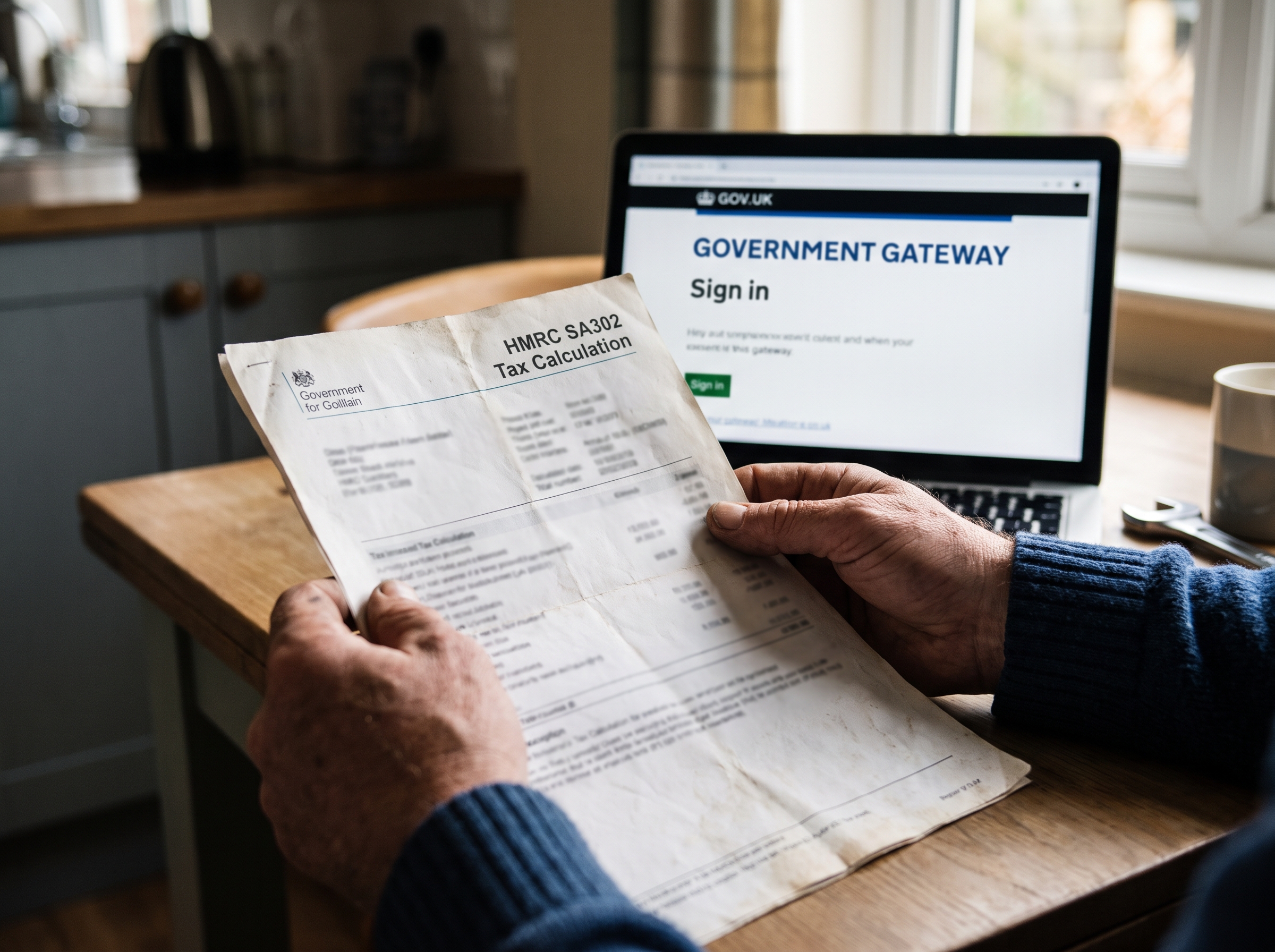
An SA302 is not a colourful certificate. It's a plain, text-heavy HMRC printout — usually one to three pages. But what it contains is important. Here's what you'll find on it:
SA302 — What's on the Document
For CIS subcontractors, the key number on the SA302 is net taxable income after expenses. This is the figure mortgage lenders use to decide how much you can borrow. Not your gross earnings. Not your turnover. Your profit after you've claimed tools, materials, mileage, insurance, and everything else HMRC allows you to deduct.
That distinction matters enormously — and it's why CIS subcontractors sometimes get surprised by mortgage offers that are lower than expected. If you've been through that experience, our separate guide on the SA302 mortgage problem for CIS subcontractors explains the numbers in detail.
SA302 vs Tax Year Overview — What's the Difference?
This is the question that causes the most confusion. Both documents come from HMRC. Both relate to your Self Assessment. But they do different jobs.
SA302 (Tax Calculation)
- Detailed breakdown of all income sources
- Shows personal allowances applied
- Shows how tax was calculated
- Proves what you earned
- The primary income proof document
Tax Year Overview
- Summary of total tax due
- Shows payments HMRC received
- Confirms return was submitted
- Proves tax was paid
- Used to verify the SA302 figures
Why Do Mortgage Lenders Want Your SA302?
If you're employed on PAYE, a lender looks at your payslips. Simple. But if you're self-employed — and that includes most CIS subcontractors — payslips don't exist. Lenders can't verify your income from a bank statement alone, because bank statements show turnover, not profit.
The SA302 solves that problem. It's HMRC-verified proof of what you actually declared and what tax was calculated on it. It's the closest thing a self-employed person has to an official income certificate.
Most lenders request SA302s and Tax Year Overviews for the last two to three tax years. If your income has been stable or increasing, some accept one year. If it fluctuates significantly — which is common for CIS subcontractors who work across multiple sites and contracts — they may want three years to see the pattern.
It's Not Just Mortgages
You may also need your SA302 for business loans, commercial finance applications, rental agreements (where landlords want income proof), and UK visa or immigration applications. The principle is the same everywhere: the SA302 is HMRC's stamp confirming what you earned.
How to Get Your SA302 — Step by Step
There are two routes, depending on how your tax return was filed.
Route 1: You Filed Online Yourself
- Log in to your HMRC Personal Tax Account using your Government Gateway credentials. If you don't have a Government Gateway ID, you'll need to register — HMRC sends activation codes by post, so allow a few days.
- Go to the Self Assessment section.
- Select "More details about your Self Assessment returns and payments".
- Choose the relevant tax year — you can access SA302s for the last four years.
- Click "Get your SA302 Tax Calculation" — you can view it on screen, download it as a PDF, or print it.
Route 2: Your Accountant Filed Using Commercial Software
This is where many CIS subcontractors hit an unexpected wall. If your accountant used third-party software (Xero, FreeAgent, TaxCalc, etc.) to file your return, HMRC's website may not have a copy of your SA302. The return was submitted correctly, but the SA302 was generated by the accountant's software, not by HMRC's own system.
In this case:
- Ask your accountant for the SA302 (or "tax computation") from their software
- Download the Tax Year Overview from your HMRC online account — this one is always available
- Submit both to your lender — the Tax Year Overview verifies that the accountant's SA302 figures match what HMRC received
The SA302 Trap for CIS Subcontractors
Here's what catches many subcontractors off guard: the SA302 shows your net profit after expenses, not your gross CIS income. If you earn £45,000 gross and claim £12,000 in legitimate business expenses — tools, materials, mileage at 55p per mile, insurance, phone — your SA302 shows £33,000.
That's the correct figure. You're not doing anything wrong. But a mortgage lender looking at £33,000 instead of £45,000 will offer you significantly less borrowing capacity. At a typical 4.5× income multiplier, that's a difference of around £54,000 in mortgage potential.
If you're not yet registered for CIS and losing 30% instead of 20%, our step-by-step CIS registration guide walks you through the entire process. And if you're claiming mileage on your SA302, make sure you're using the correct vehicle — the HMRC test isn't as simple as it looks. See our guide on Van or Car: The HMRC Test That Decides What You Can Claim.
SA302 and Making Tax Digital (MTD)
Since April 2026, self-employed individuals and landlords with income over £50,000 are required to submit quarterly updates to HMRC under Making Tax Digital for Income Tax. The first quarterly update for the 2026/27 tax year was due by 7 August 2026.
What does this mean for SA302s? HMRC hasn't confirmed whether the SA302 format will change under MTD or whether quarterly submissions will generate interim calculations. For now, the SA302 is still produced based on your annual Self Assessment, and lenders still require it in its current form.
Your SA302 Checklist — Before You Need It
Don't wait until you're in the middle of a mortgage application to think about your SA302. Get ahead of it now:
- Check you can log in to your HMRC Personal Tax Account (Government Gateway)
- Confirm your last 2–3 years of SA302s are available to download
- Download the matching Tax Year Overviews for the same years
- If your accountant filed, ask them for copies of the SA302/tax computation
- Review the net income figure — is it what you expected?
- If the figure looks low, check whether your expense claims are accurate and proportionate
- Save PDF copies — don't rely on HMRC being available the day you need them
Frequently Asked Questions
Is an SA302 the same as a tax return?
No. Your tax return is the SA100 — the form you submit to HMRC. The SA302 is what HMRC produces in response, showing how your tax was calculated. The SA100 is the input; the SA302 is the output.
How long is an SA302 valid for?
An SA302 doesn't technically expire — it's a historical record of a specific tax year. But most mortgage lenders prefer the most recent one available, and generally accept SA302s covering the last 18 months. If yours is older, you may need to file a more recent return first.
Can I amend my SA302 if there's a mistake?
You can't amend the SA302 directly — it's generated from your tax return. If there's an error, you need to amend the underlying return. You can amend a Self Assessment online within 12 months of the filing deadline. Once the amended return is processed, HMRC generates a corrected SA302.
What if I can't access my HMRC account?
If you've lost your Government Gateway credentials, you can recover them online or register for new ones. HMRC sends activation codes by post, which takes a few days. If you need your SA302 urgently, call the Self Assessment helpline on 0300 200 3310 and ask for it to be posted to you.
People Also Ask
What does an SA302 look like?
An SA302 is a plain HMRC printout — not a colourful certificate. It's usually one to three pages showing your name, UTR number, the tax year, all income sources you declared, your personal allowance, taxable income, the tax rates applied, and the total tax due.
How do I get an SA302 for a mortgage?
Log in to your HMRC Personal Tax Account via Government Gateway, go to Self Assessment, and select the relevant tax year to download your SA302 as a PDF. You'll also need the matching Tax Year Overview. If your accountant filed your return, ask them for the SA302 from their software and download the Tax Year Overview yourself from HMRC.
What is the difference between an SA302 and a Tax Year Overview?
The SA302 gives a detailed breakdown of your income and how your tax was calculated. The Tax Year Overview is a simpler summary showing the total tax due and payments HMRC has received. Mortgage lenders typically require both — the SA302 proves what you earned, the Tax Year Overview confirms the tax was paid.
Can I get an SA302 if my accountant filed my tax return?
If your accountant used commercial software, HMRC's website may not have a copy of your SA302. Your accountant can provide the SA302 from their software. You then download the Tax Year Overview from HMRC to verify the figures match — most lenders accept this combination.
QuoteDone Tools
Your CIS Tax Numbers — Sorted.
Whether you're preparing for a mortgage application or just want to know where you stand with HMRC, start with the numbers that matter.
This article is for informational purposes only and does not constitute formal financial, mortgage, or tax advice. Always consult a qualified accountant or mortgage broker before making decisions based on your SA302. Aligned to 2025/26 and 2026/27 HMRC guidance.